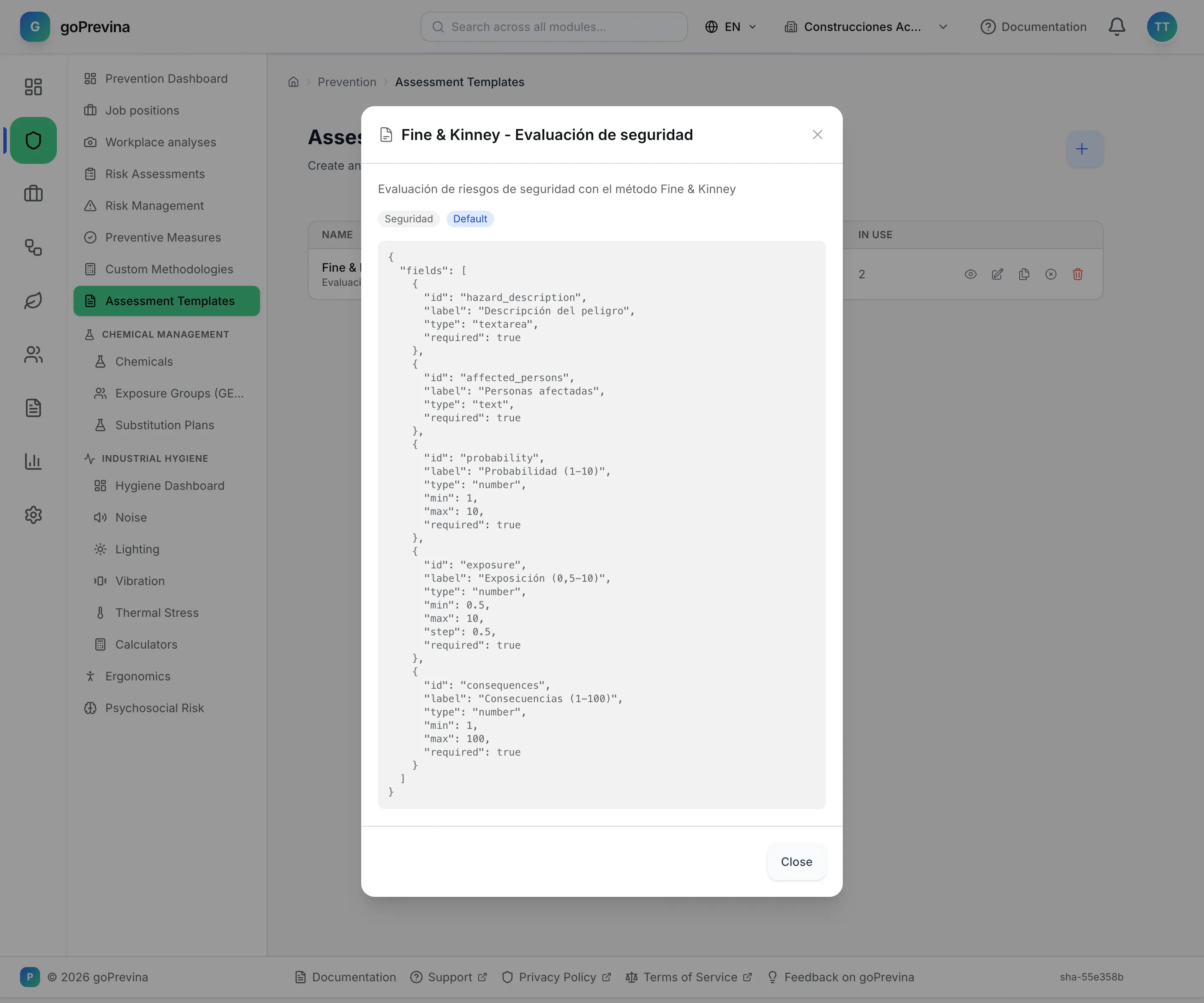
Risk-assessment tutorial (2/7): templates
Assessment templates store a structure that is reused. Only the company administrator sees and manages them.
1. The list of templates
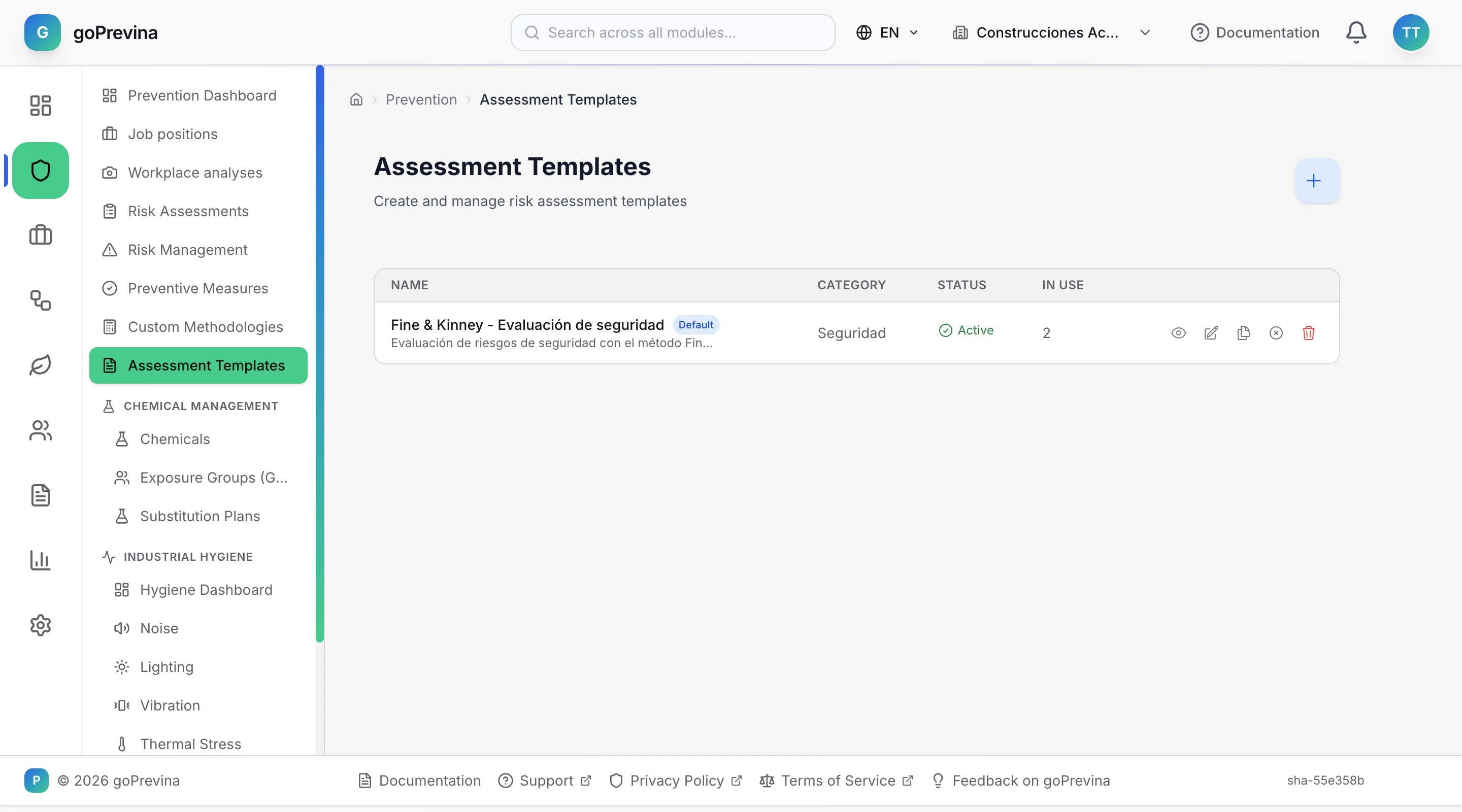
Go to «Prevention» → “Assessment Templates”. Each row shows the name, the category, whether it is active and how many times it has been used. With the row's icons you can preview, edit, clone, activate or deactivate and delete the template.
A new company already comes with a safety template based on Fine & Kinney.
2. Previewing and creating templates
The eye icon opens the preview. “New template” asks for a name, a category and the “Template structure (JSON)”, which must be valid JSON. Each new assessment is linked to the active template whose structure declares the same methodology (`defaultMethodology`); if none matches, to the one marked “Default template”. There can only be one default.