Risk-assessment tutorial (6/7): preventive measures and follow-up
Preventive measures are what is done to reduce each risk. This chapter explains how they are planned, how their execution is followed and how you check that they work.
1. Preventive planning
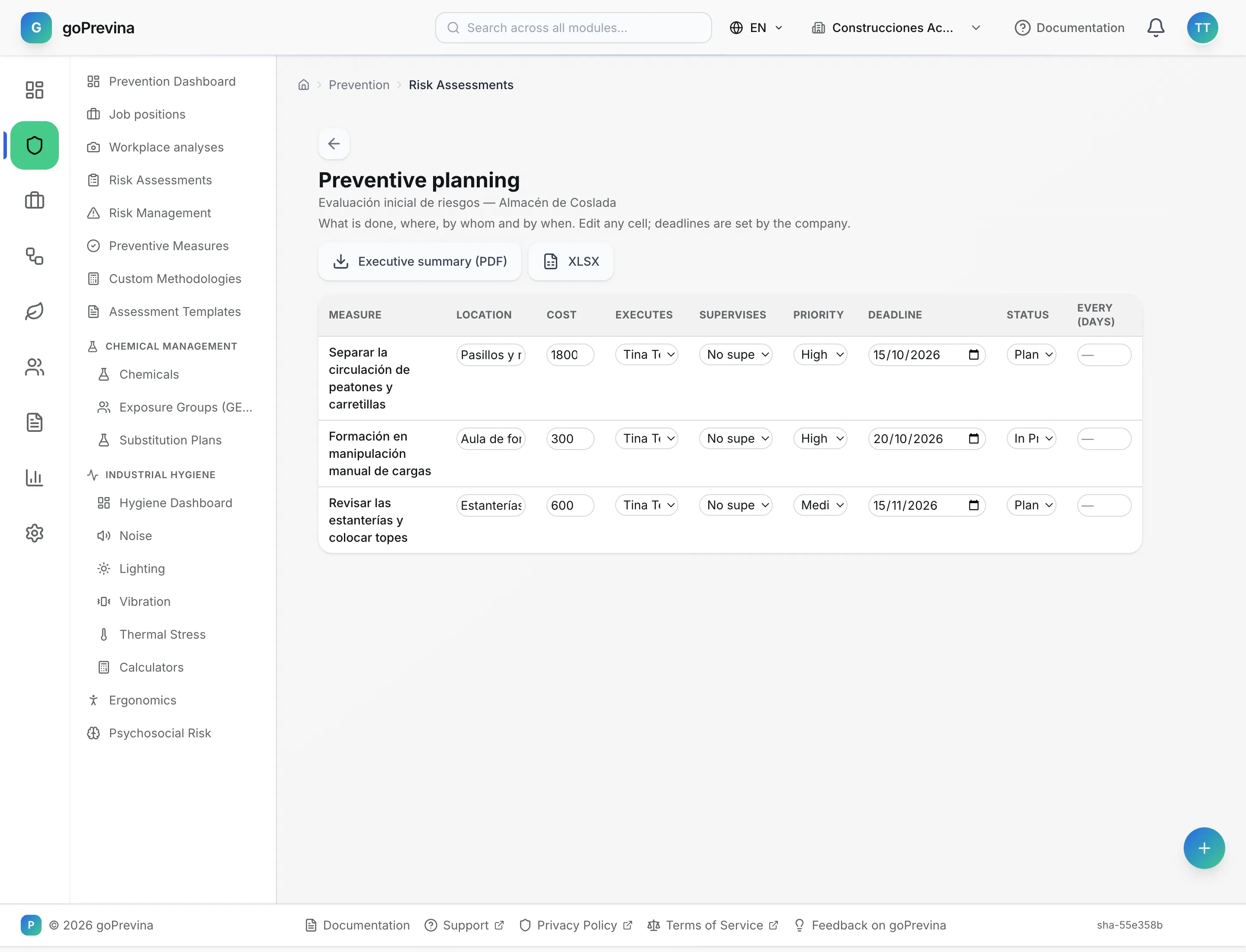
From the assessment, “Preventive planning” shows its measures in an editable table: location, cost, who carries it out, who supervises, priority, deadline, status and how many days between repeats. Each change is saved when you leave the cell.
“Executive summary (PDF)” and “XLSX” download the planning.
2. The list of measures
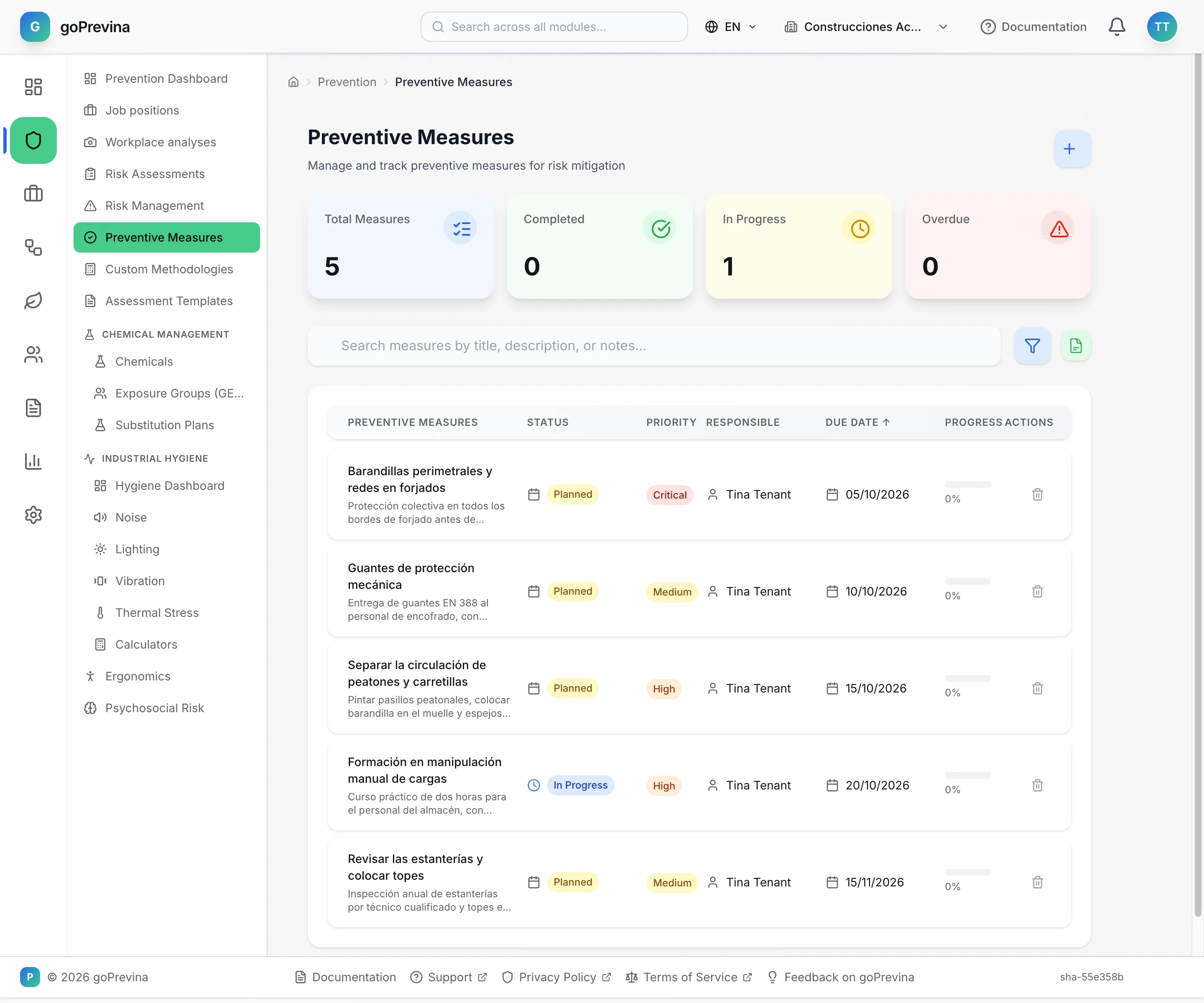
«Prevention» → “Preventive Measures” brings together the measures of every assessment, with indicators for total, completed, in progress and overdue. Filter by status, type, priority, owner or dates, or tick “Show only overdue”.
3. The action plan
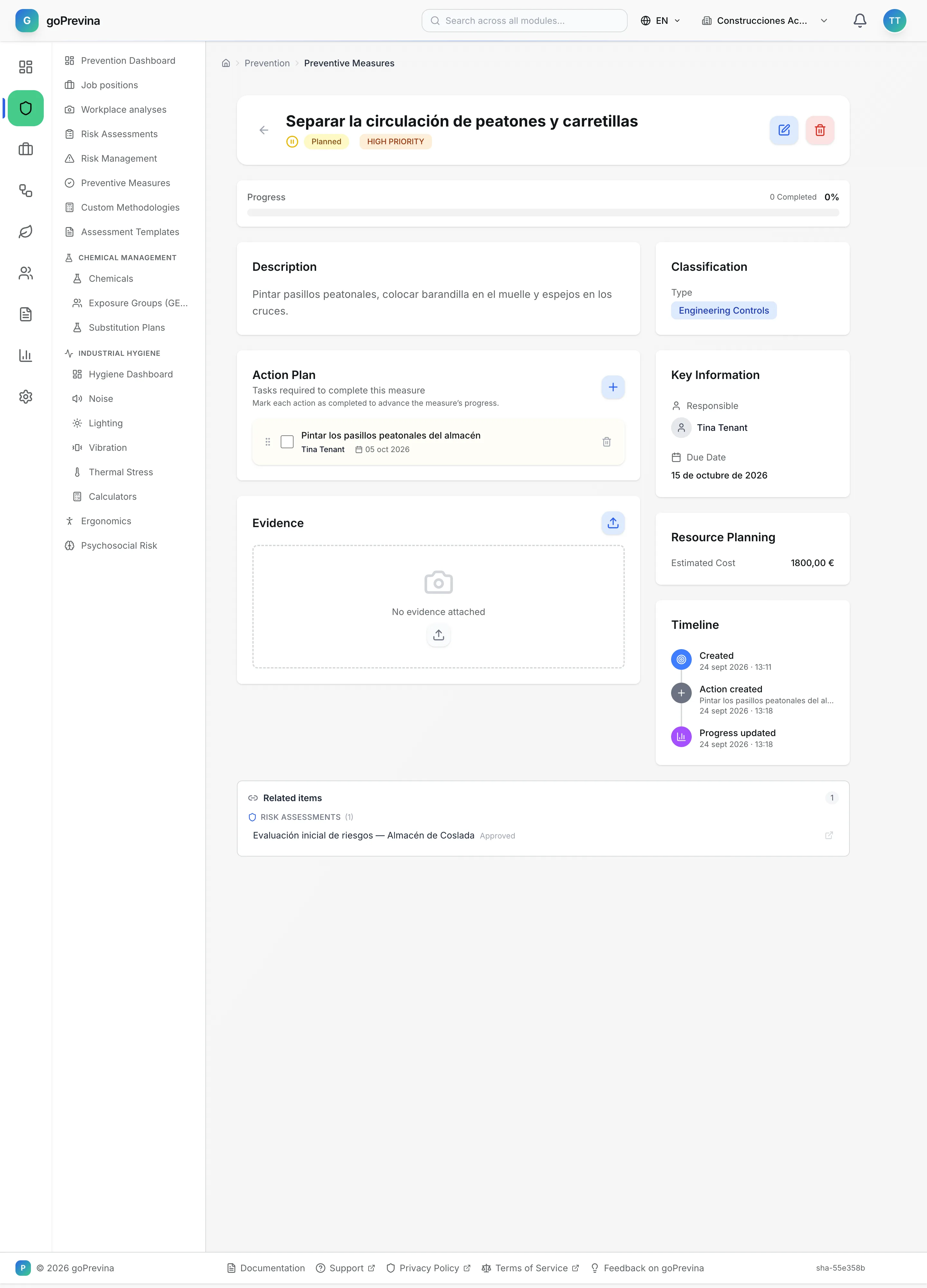
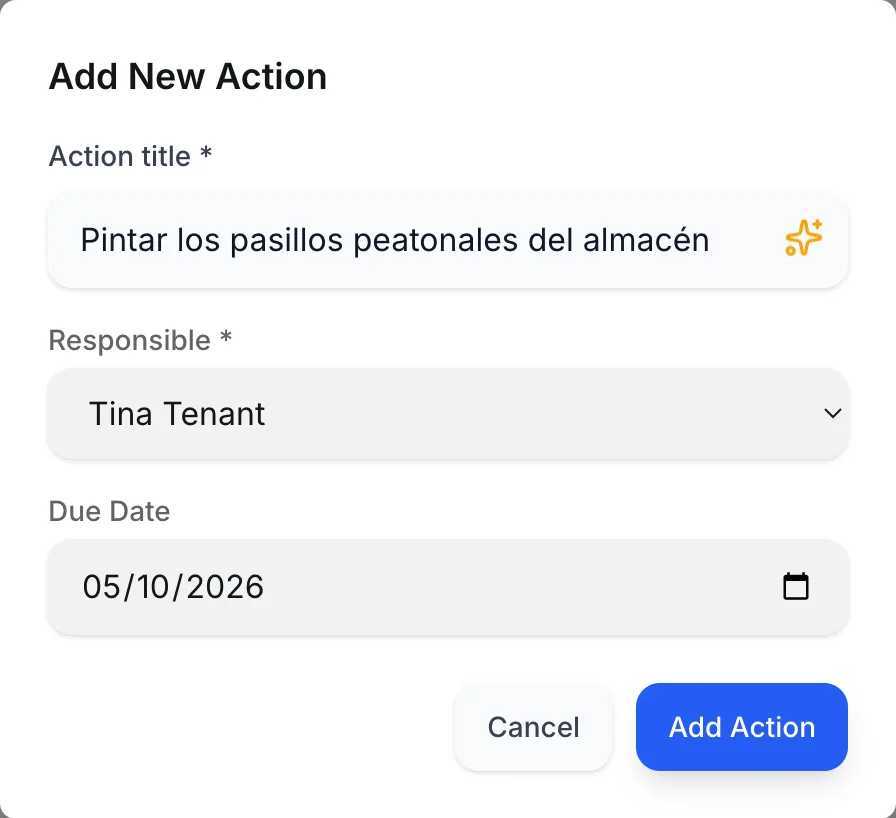
Inside a measure, “Add Action” breaks it into tasks with a title, an owner and a due date. Completing actions raises the measure's progress percentage; the measure itself is marked as completed separately, for example from the planning.
4. Evidence and effectiveness
The measure's page holds the action plan and the evidence (“Upload Evidence”). A measure counts as overdue when its due date passes without it being completed. Once it is completed, “Effectiveness Verification” appears: a rating from 1 to 5 with notes.