The platform

What is inside, module by module.

Module by module, in the order of the application's menu, and the cycle that links them. This page is not a brochure: it is the inventory of what the application does today. Not everything is in every plan.

The complete cycle

From the risk identified to the risk closed

Each module covers one part. What the platform offers is that the parts are linked: a risk is entered once and followed until it is closed, and every step leaves the evidence an inspection asks for.

  1. Identify and assess

    The risk comes in through the assessment (with the chosen methodology, or from the workstation analysis with photos and video), is rated in the matrix and is given a measure with an owner, a deadline and a cost. The assessment goes through review and approval and is versioned.

  2. Carry out and keep the evidence

    The measure lives in the prevention plan and in the equipment's maintenance. What it requires is done and recorded: the inspection with its template and photos, the approved work permit, the verified LOTO lockout, the training with its attendance, the PPE with its confirmed delivery, the medical check with its fitness result.

  3. When the risk materialises

    The incident (accident, near miss, damage) is recorded with a wizard. If it has to be notified, the report is produced in Delt@ format from the record. The root-cause investigation (REA report) is opened: timeline, causes, contributing factors, findings and corrective actions. The incident is linked to the risk assessment that covered it, or reveals that there was none.

  4. Correct

    Each finding becomes a non-conformity with its type, its origin (incident, inspection, audit) and its cause, and corrective and preventive actions (CAPA) with an owner and a deadline. If the correction changes a process or a piece of equipment, it goes through management of change before it is applied. What is overdue and what is open is shown on the improvement dashboard.

  5. Close and reassess

    With the actions done, the REA report records the initial risk, the residual risk and the reduction achieved, and the assessment is revised with what was learned. The internal audit checks that the non-conformity is really closed. The compliance report shows the whole cycle, with who did what and when, and Nora and the alerts watch that nothing stalls.

Prevention

  • Job positions and workstation analysis from photos and video

    The company's register of job positions, with the machines and equipment each one uses, and the newest module: assessing the workstation from the site visit. Photos of the machine and the workstation and a walk-through video, uploaded from a phone or a computer. The AI reads that material together with the manufacturer's manual and proposes the assessment.

  • Risk assessment and prevention planning

    The company's register of assessments, with a seven-step wizard, a risk catalogue, preventive measures and a full lifecycle: draft, review, approval, expiry and archive. Assessment templates and sector packs (construction, hospitality, industry, office) to start with risks, measures, PPE and training already loaded.

  • Chemical management

    The inventory of chemical products with their safety data sheets (SDS), regulatory classification (CMR, authorisation, restriction, REACH), similar exposure groups (SEG) and substitution plans.

  • Industrial hygiene and calculators

    Measurements of physical agents with their limit values and their history: noise, lighting, hand-arm and whole-body vibration, and heat stress.

  • Ergonomics and psychosocial risk

    Ergonomic assessment of workstations and tasks with the RULA, OWAS and NIOSH methods, and psychosocial assessment with the anonymous COPSOQ-ISTAS21 questionnaire and a traffic light per dimension.
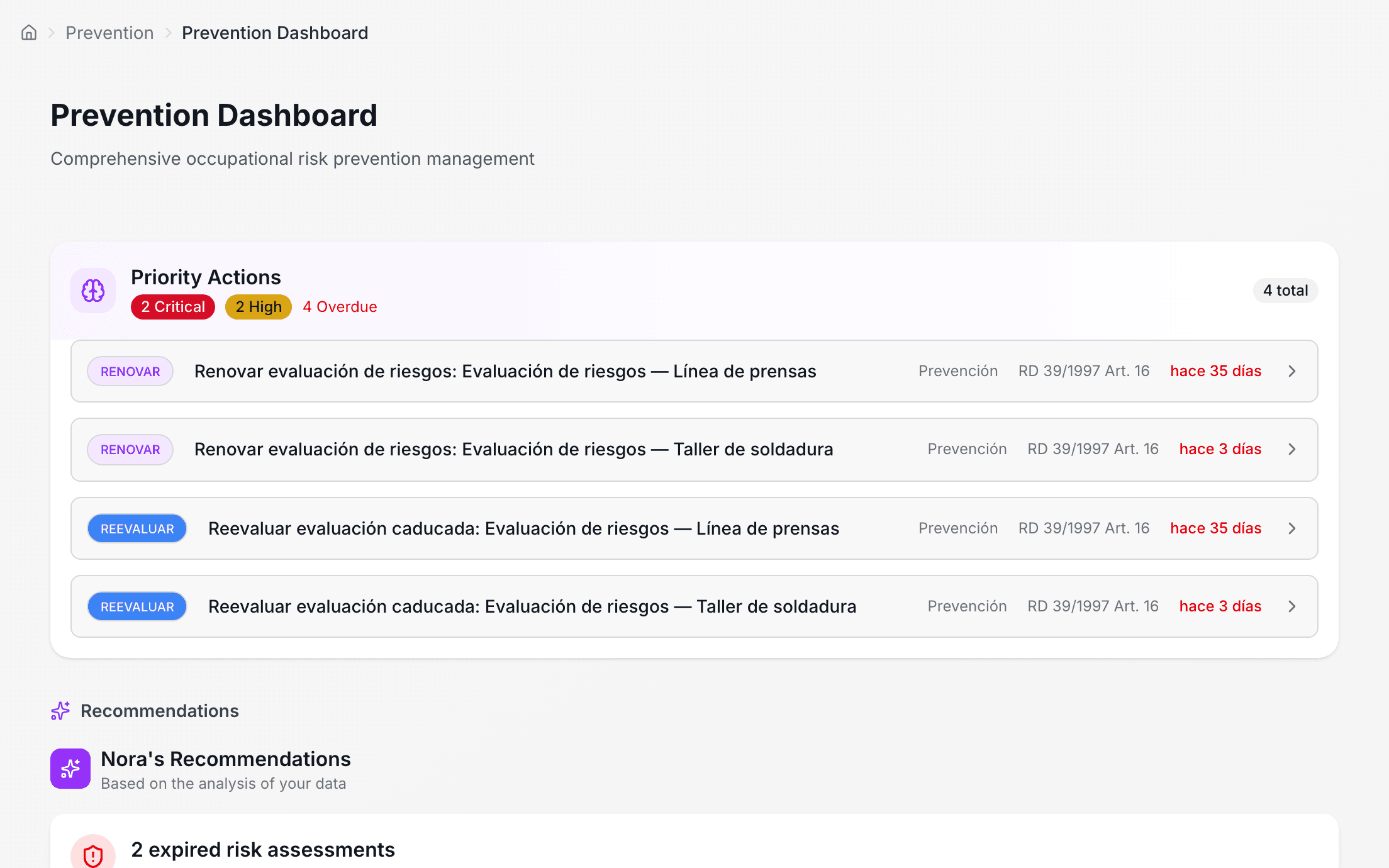
the risk assessments of a metalworking plant, with their status and risk level

Operations

  • Inspections

    Safety inspections from a template: sections, checkpoints, photos and signature on the device itself. An operations dashboard with overdue inspections, critical incidents and permits about to expire.

  • Work permits and LOTO

    Safety authorisations for specific tasks (hot work, work at height, confined spaces, electrical work) and the lockout of energy sources before working on a piece of equipment.

  • Work equipment and maintenance

    The register of machines, vehicles, tools and electrical equipment, with their category, their status and their next maintenance. It is the same register the workstation analysis uses.

  • Incidents, investigation and the Delt@ accident report

    The whole incident: report, root-cause investigation (REA report with timeline, causes, findings and corrective actions), actions and closure. For Spain, the notification of the accident to the labour authority.

  • Contractor coordination (CAE)

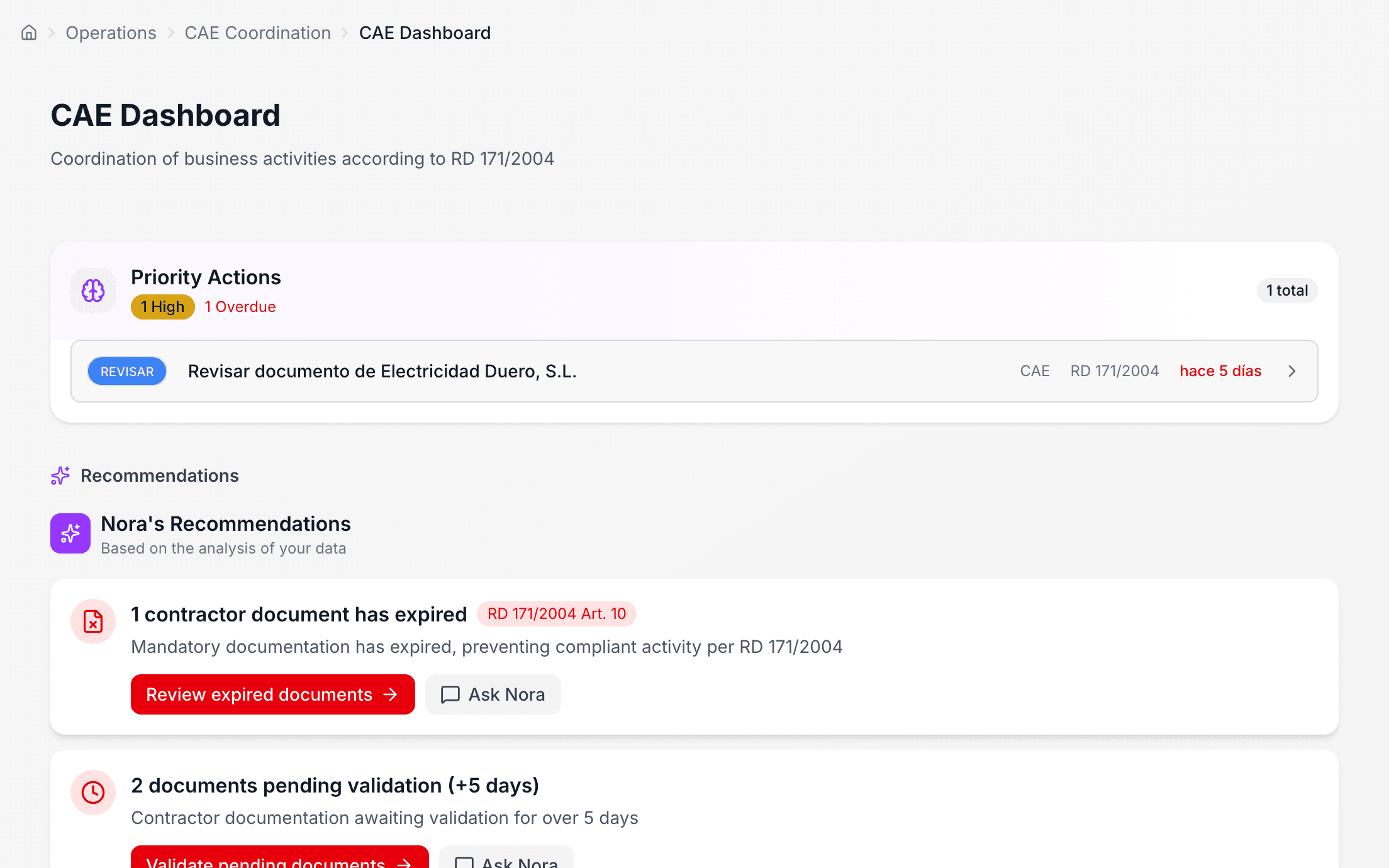
    Coordination with contractors and subcontractors, which is where most paper gets lost. Each contractor has its record, its workers, its equipment and its documentation, and a portal of its own to upload it.

  • Construction and sites

    Sites and projects with their own structure, their Libro de Incidencias (site incident book) and their plans.

  • Facility maps and plans

    Floor plans of the premises (image or PDF) with locations marked on them: fire extinguishers, exits, first-aid kits, assembly points, hazards, safety zones and emergency routes.

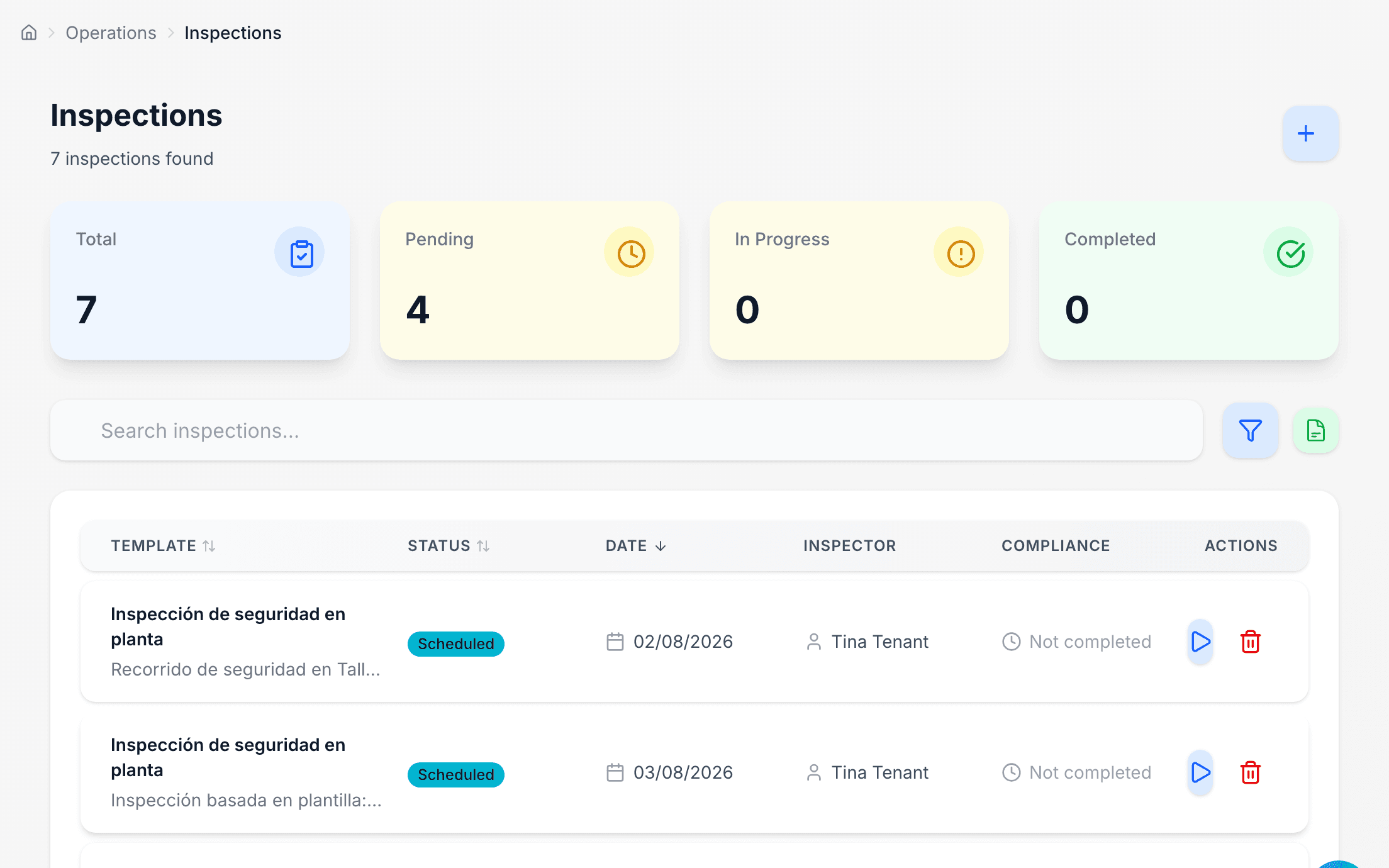
safety inspections scheduled, carried out and reviewed
the contractors on site, their documents in green or in red

Quality and improvement

  • Quality and continuous improvement

    The management system in one dashboard: non-conformities, corrective and preventive actions (CAPA), internal and external audits, meetings, management of change (MOC) and suggestions from workers.

Environment and ESG

  • Environment and ESG

    Consumption, waste and emissions with their history and by scope (Scope 1, 2 and 3), environmental permits with their expiry dates, emergency plans, sustainability goals and the materiality analysis the CSRD asks for.

People

  • Team and workforce

    Who is who. The team is the accounts with access to the application; the workforce is everyone in the company, including people who have no email and never log in: fitters, drivers, site staff.

  • Training

    Courses, sessions, attendance and certificates, in a full cycle: from defining the course to issuing the certificate and warning when it expires. It includes the courses produced by the workstation analysis, with slides and video, which the worker follows from their portal or from a link without an account.

  • Personal protective equipment (PPE)

    The PPE catalogue, deliveries to each worker, confirmation of receipt and periodic inspections of the equipment.

  • Health surveillance

    The complete medical circuit (protocols, appointments, records, fitness for work, contracted medical centres, anamnesis, lab results and annual reports), with health data treated as a special category.

  • Employee portal

    Each worker's personal area, for those with an account: their medical appointments, their PPE, their training, their documents and their privacy rights. They only see their own.

Documents and reports

  • Document management

    The company's repository in folders by category (safety, legal, training, HR), with versions, an approval workflow, signature and expiry. Templates for repetitive documents, and the company's legal prevention documents.

  • AI-generated documents

    Drafts of prevention documents written by the AI from an instruction: assessments, action plans, procedures, safety instructions and training plans.

  • Reports and dashboards

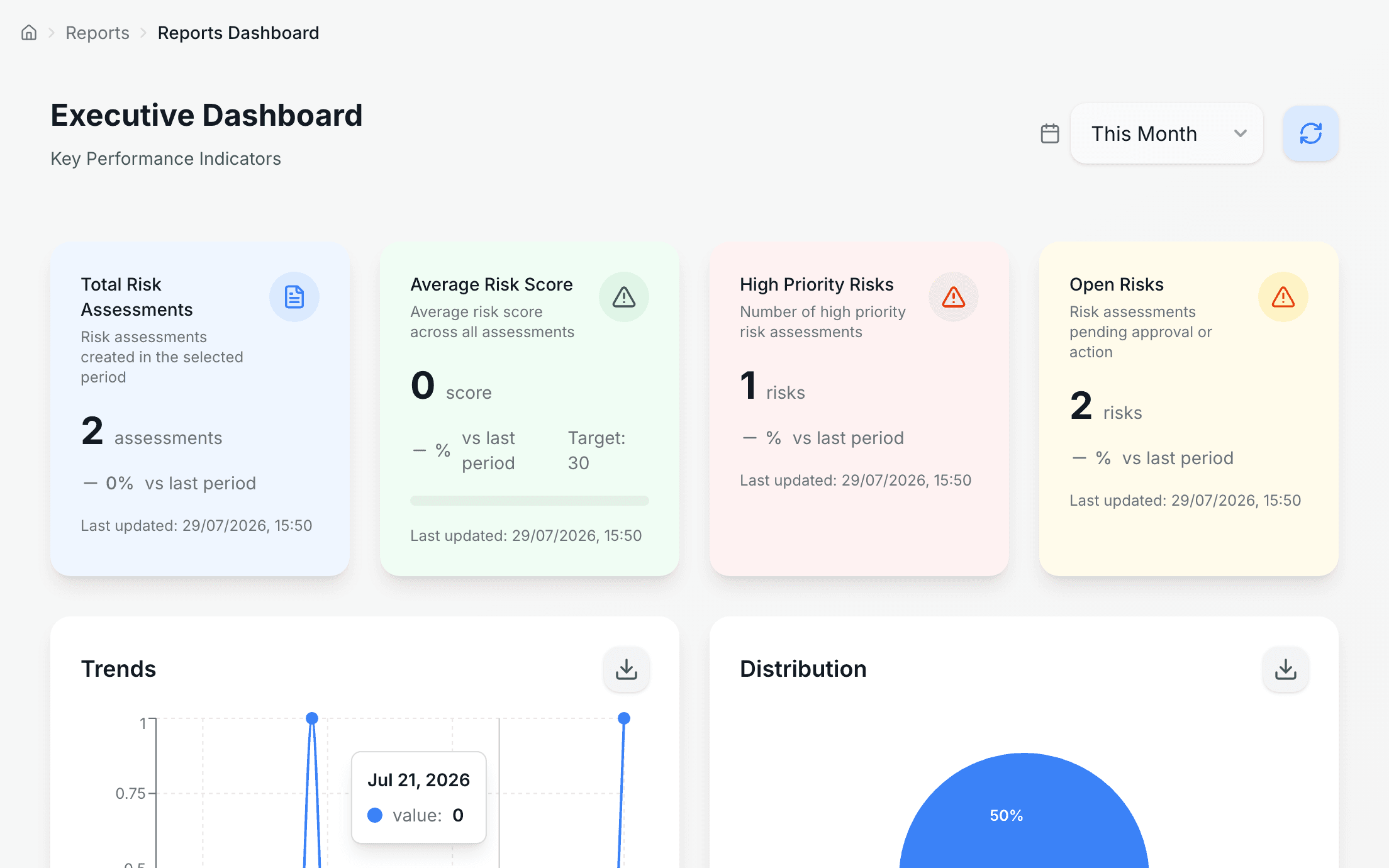
    The report centre: templates, a drag-and-drop builder with indicators, charts and tables, and scheduled delivery by email. Dashboards per module, a comparison between workplaces and a safety score with adjustable factors.

  • Compliance and regulatory updates

    The company's legal obligations according to its jurisdiction, with an owner and a status, and the new items in the BOE and EUR-Lex that affect its sector, as a draft that someone reviews.

the risk score, factor by factor, with the weights in plain sight

Nora, the assistant

  • Nora, the prevention assistant

    An assistant inside the application that answers with the company's data, not with a manual: assessments, incidents, contractors, deadlines and documents. It is on every screen and knows which one you are on.

Platform and settings

  • Organisation, permissions and audit

    Workplaces (with a geocoded address and map), departments and areas: the structure everything else uses to place each activity. The permission matrix by role, the audit log and the history of notifications sent.

  • Notifications and alerts

    System notices through six channels: in the application, email, push, SMS, WhatsApp and Telegram. Each user chooses the channel for each type of notice, in their own language.

  • Identity, integrations and data

    Single sign-on with OIDC or SAML 2.0 and SCIM provisioning, passkeys and two-step verification. API keys with scopes and quotas, signed webhooks, integration monitoring and data synchronisation. Connectors for DocuSign, Adobe Sign, Slack, Microsoft Teams, Google Calendar and Outlook.

  • Multi-company and subscription

    Three isolated levels: the platform, the distributor or prevention service (with its console, its client companies and its brand) and the company. Each company has its jurisdiction, its language and its plan.

Missing something you need? Write to us and we will tell you whether it exists, half-exists, or does not.