Risk-assessment tutorial (5/7): positions, analyses and exposure groups
Job positions and workplace analyses are the other way to reach an assessment: you visit the position, capture photos or video and the AI proposes risks and measures that you review.
1. Opening a workplace analysis
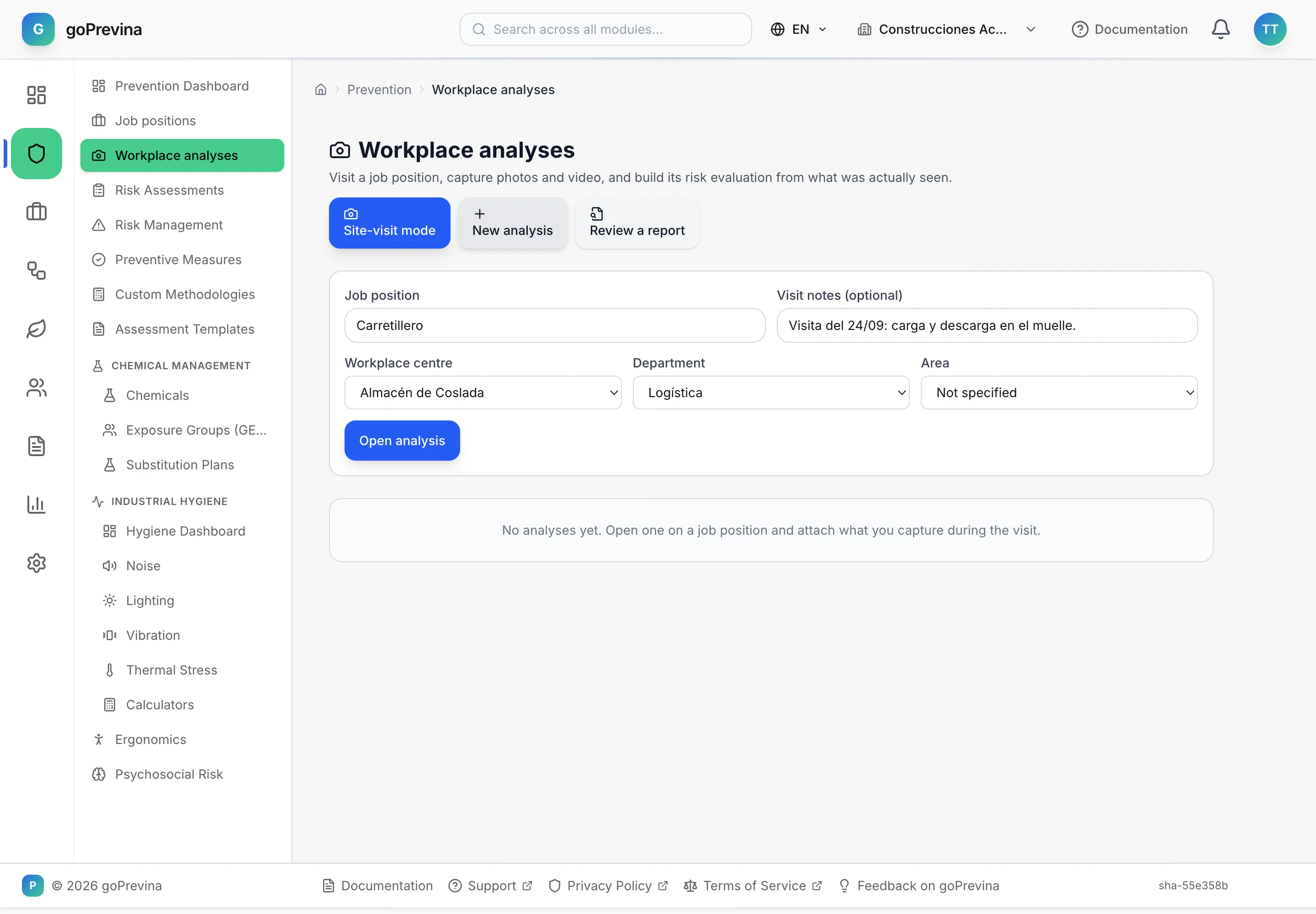
In «Prevention» → “Workplace analyses”, press “New analysis”. Write the position, choose the centre and the department and, optionally, note the visit. If the position does not exist, it is added to the catalogue. “Site-visit mode” does the same step by step from a phone.
2. Capturing and analysing
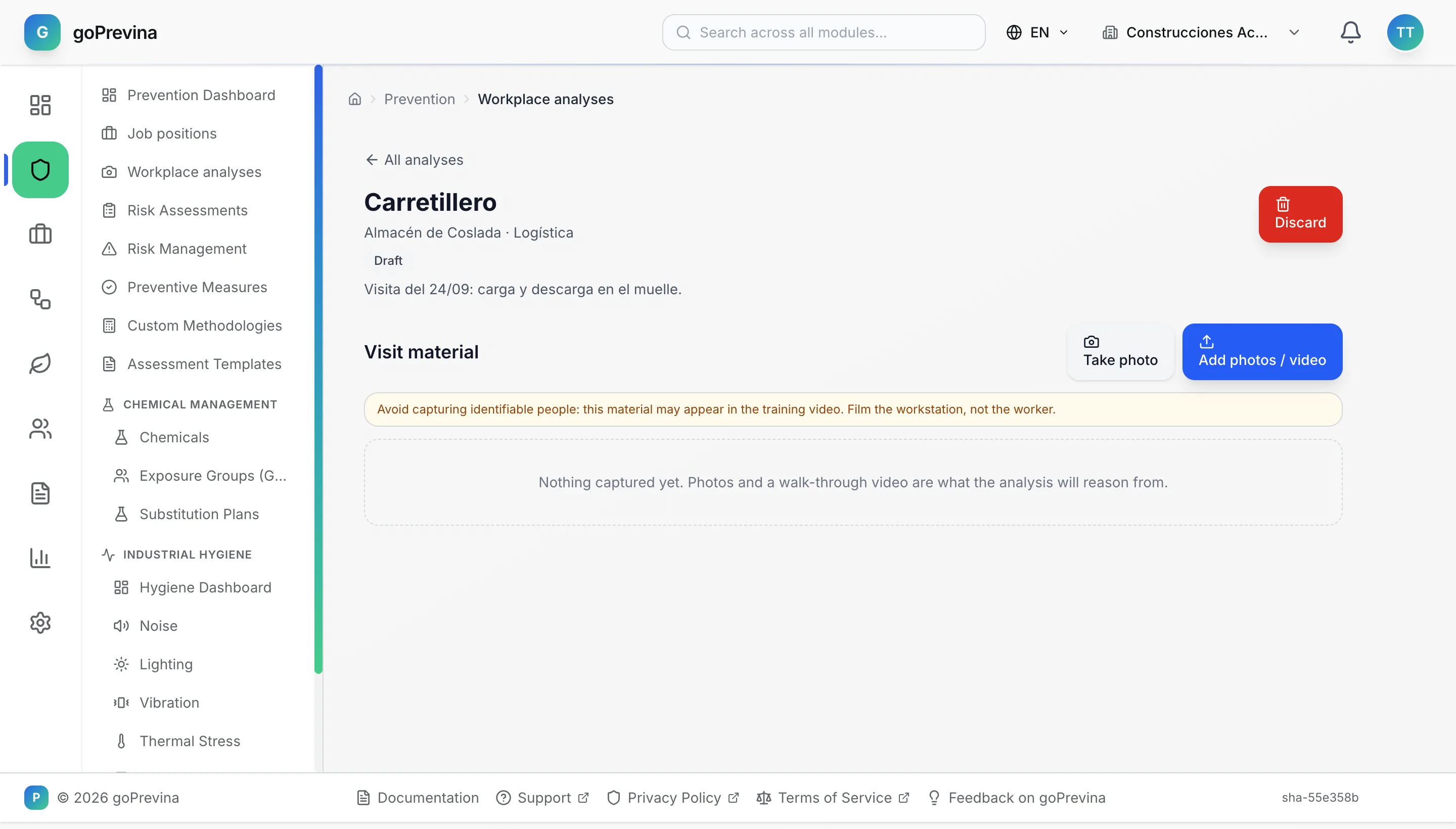
Inside the analysis, add photos or video with “Take photo” or “Add photos / video”. Film the workstation, not the person. With at least one photo or video, press “Analyze with AI”: the AI proposes risks, measures, PPE and the RD 1215/1997 checklist. Review and correct the proposal and press “Confirm as draft evaluation”: an assessment is created with those risks, measures and PPE, and it follows the normal review and approval path. If the installation has no AI configured, the analysis ends with a failure notice.
3. The catalogue of positions
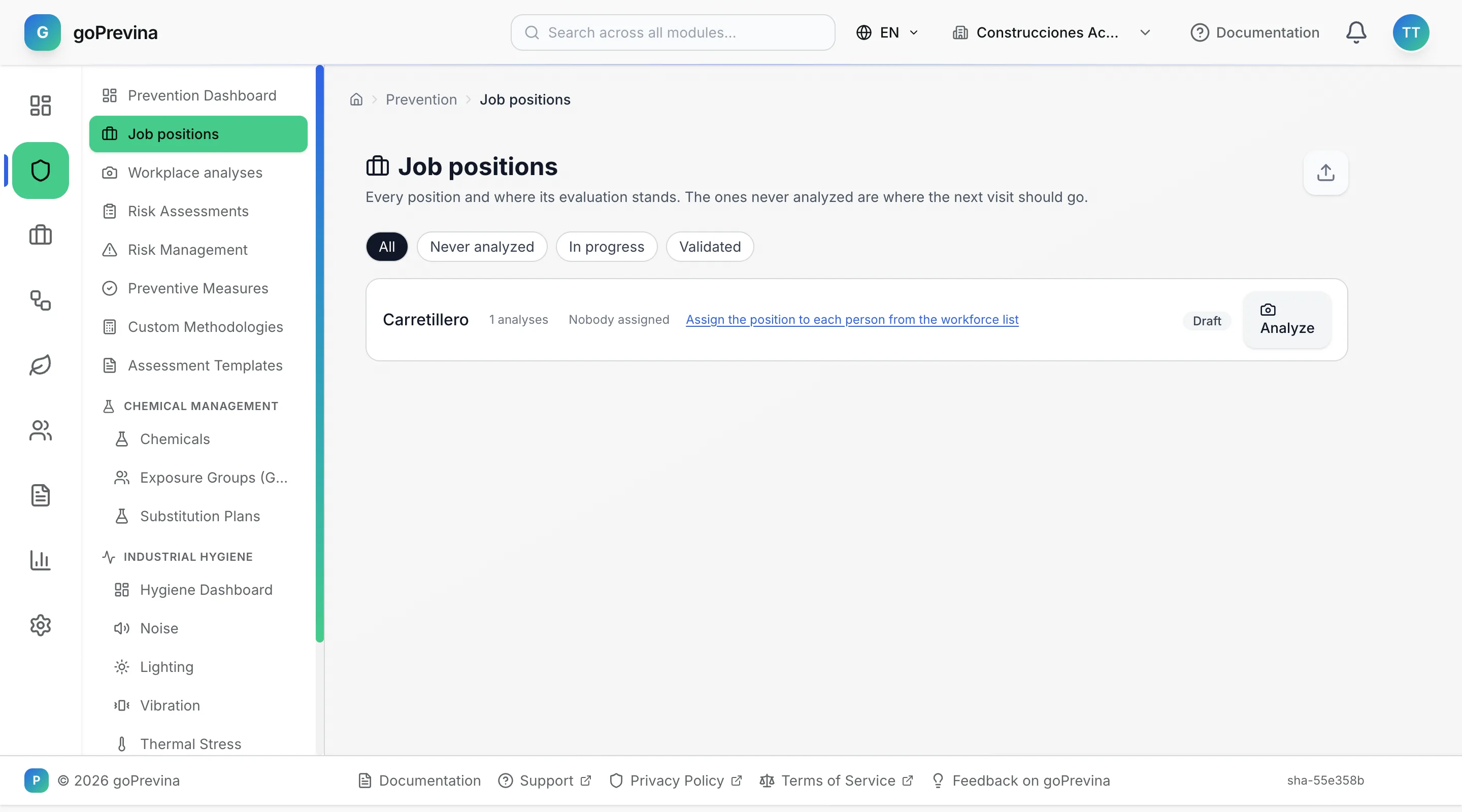
“Job positions” has no add button: the catalogue grows as analyses are opened. Each position shows its state (never analysed, in progress or validated) and how many people hold it. The administrator can import positions from a file.
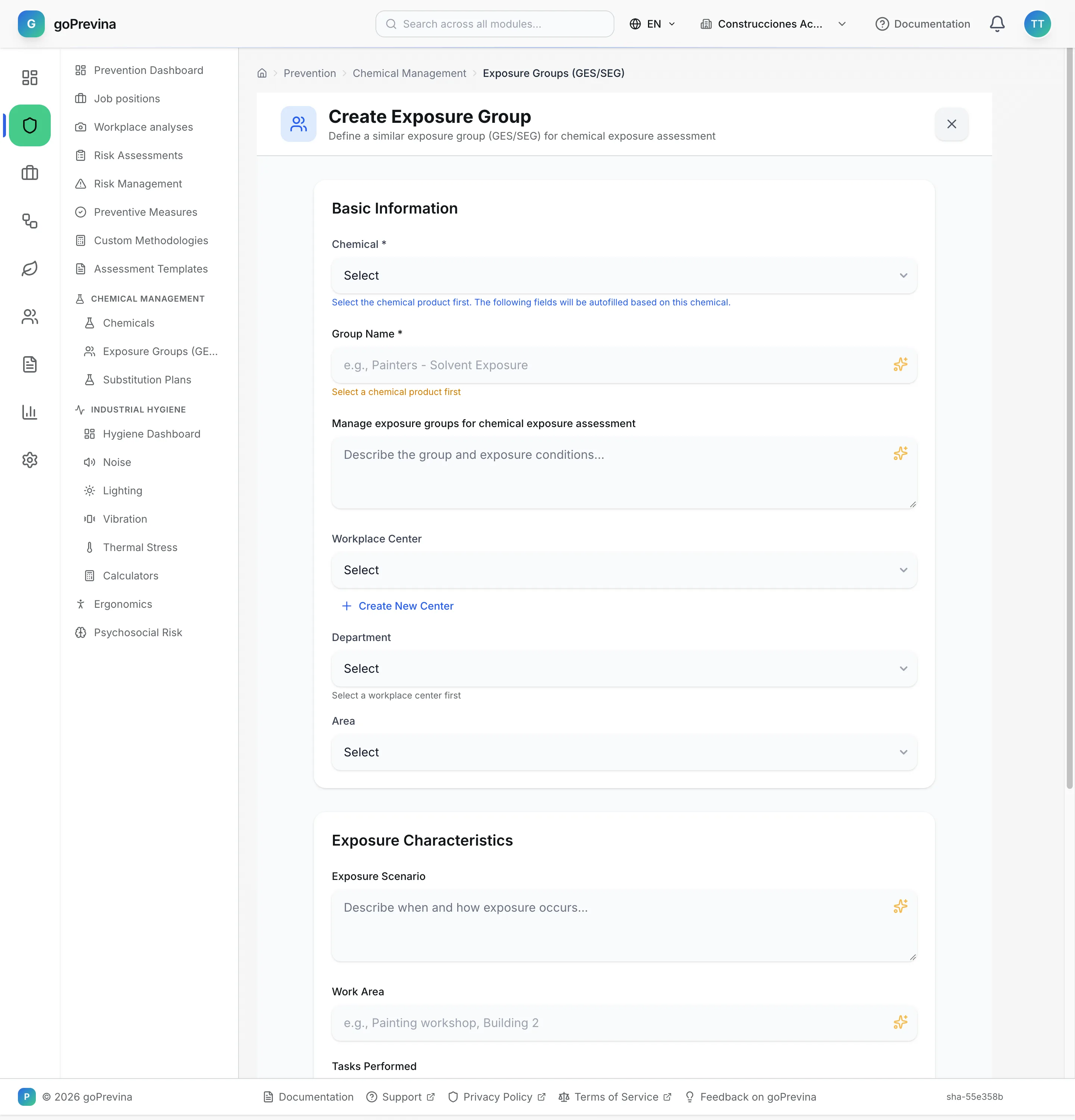
4. Exposure groups
For chemical agents, «Prevention» → “Chemical Management” → “Exposure Groups (GES/SEG)” groups the people exposed to the same product under the same conditions. The chemical product must be registered first: the form does not let you fill anything in until you choose it.